BOXLIGHT 38t Instrukcja Użytkownika Strona 13
- Strona / 54
- Spis treści
- BOOKMARKI

- BOXLIGHT MP-38t 1
- SAFETY PRECAUTIONS 2
- TO THE OWNER 2
- IMPORTANT SAFETY INSTRUCTIONS 3
- TABLE OF CONTENTS 4
- FEATURES AND DESIGN 5
- INSTALLATION 6
- SETTING-UP THE PROJECTOR 7
- Projector side (Female) 9
- AC outlet side (Male) 9
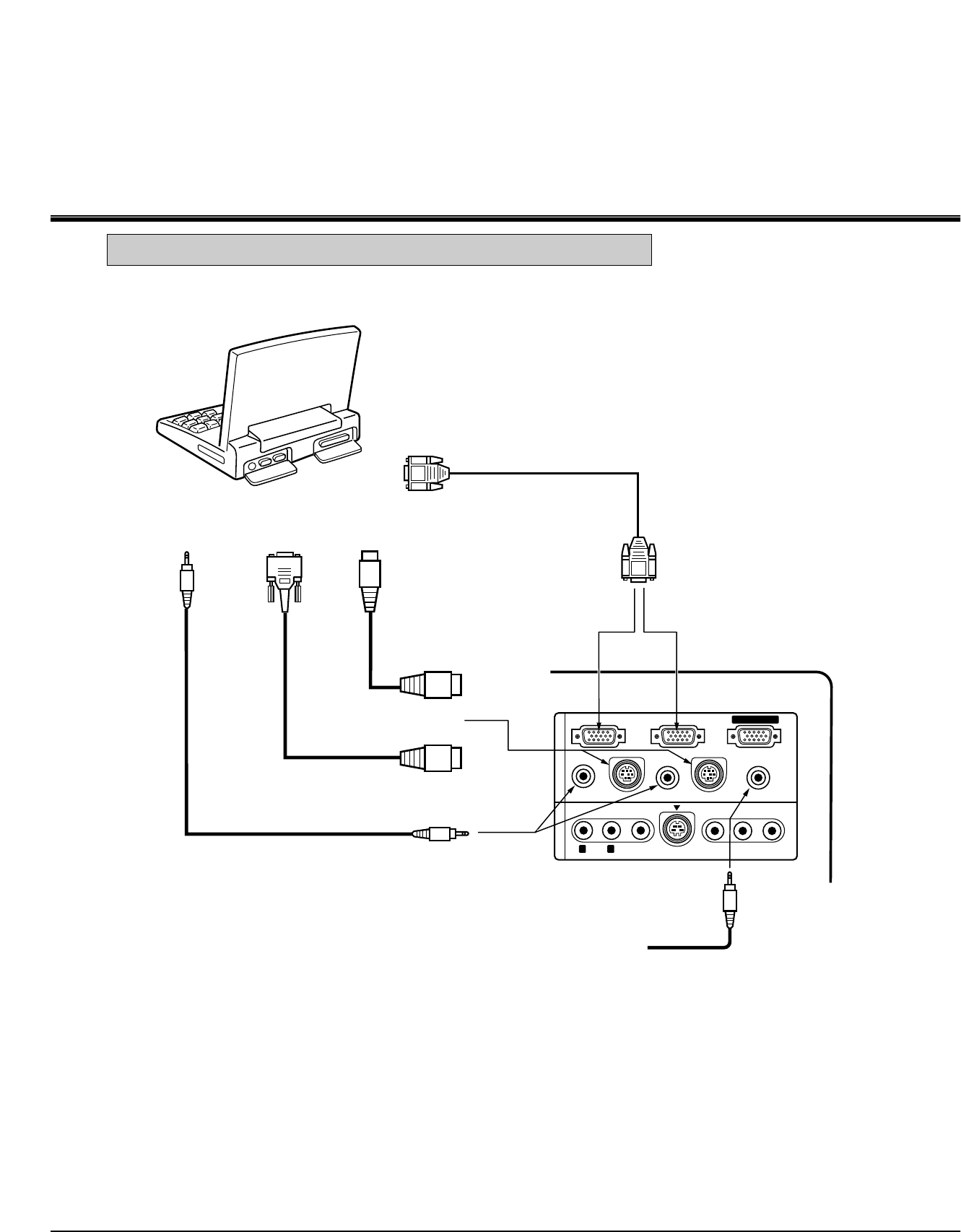
- CONNECTING THE PROJECTOR 10
- CONNECTING THE COMPUTER 11
- VIDEO EQUIPMENT 17
- BEFORE OPERATION 19
- LASER POINTER button 21
- Using the Remote Control Unit 23
- BASIC OPERATION 27
- MENU OPERATION 30
- VIDEO MODE 32
- COMPUTER MODE 36
- Digital zoom 45
- Keystone 45
- OTHER FUNCTION SETTING 46
- APPENDIX 49
- LIMITED WARRANTY 54
- LIMITATION OR LIABILITY 54
Powiązane produkty i podręczniki dla Projektory danych BOXLIGHT 38t
 (58 strony)
© 2020, manymanuals.pl. Wszelkie prawa zastrzeżone. | 0.089 s |
 Manymanuals.com
 Manymanuals.de
 Manymanuals.fr
 Manymanuals.it
 Manymanuals.pl
 Manymanuals.cz
 Manymanuals.es
 Manymanuals-pt.com
Komentarze do niniejszej Instrukcji