BOXLIGHT XP-58z Instrukcja Użytkownika Strona 12
- Strona / 37
- Spis treści
- BOOKMARKI

- User’s Manual 1
- Projector 1
- Precautions 2
- Cautions 3
- Repacking 3
- CONTENTS 4
- Maintenance 5
- Technical Specifications 5
- Appendix A 5
- PROJECTOR 6
- CONTROL PANEL 7
- REMOTE CONTROLLER 8
- Button Function 8
- Remote Controller 9
- Auto Off Mode 9
- Control Panel 9
- Unpacking the Projector 10
- Setting Up the Projector 11
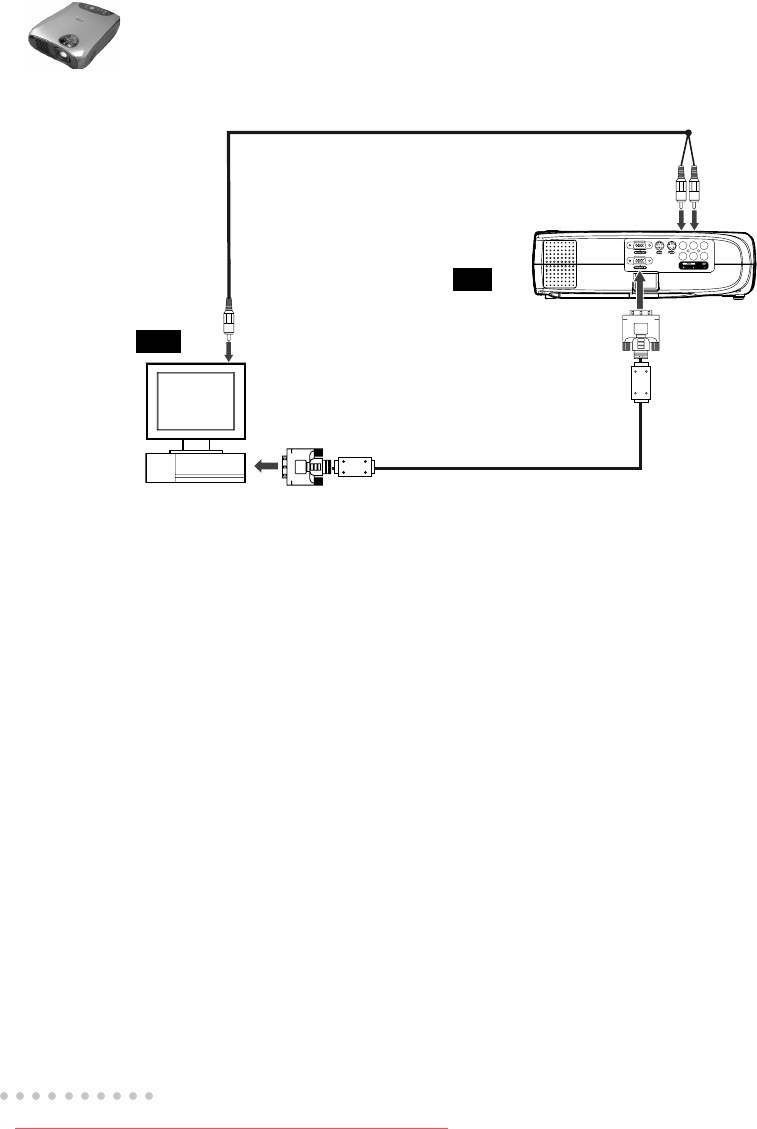
- Connecting to a Computer 12
- Connecting to a Video Source 13
- Using the Projector 14
- Operational Indicator (LED) 15
- PROJECTOR CONTROL MENUS 16
- Menu Options 18
- Input Menu 19
- Picture Menu 19
- Color Menu 21
- Audio Menu 22
- MISC Menu 23
- Option Menu 24
- Language Menu 26
- Reset Menu 26
- Video Menu 27
- Other Related OSD Menus 27
- Video Input Signal 27
- Other OSD Menus 28
- No Input Signal 29
- MAINTENANCE 30
- Cleaning the Air Filter 31
- Replacing the Lamp 32
- TECHNICAL SPECIFICATIONS 33
- APPENDIX A 34
- HDTV Preset Signals 35
- Monitor OUT cable (for data) 36
- Connecting the HDTV (data) 37
Powiązane produkty i podręczniki dla Projektory danych BOXLIGHT XP-58z
 (70 strony)
© 2020, manymanuals.pl. Wszelkie prawa zastrzeżone. | 0.057 s |
 Manymanuals.com
 Manymanuals.de
 Manymanuals.fr
 Manymanuals.it
 Manymanuals.pl
 Manymanuals.cz
 Manymanuals.es
 Manymanuals-pt.com
Komentarze do niniejszej Instrukcji